
Best free apps for personal finance management

In today’s fast-paced world, managing personal finances can be overwhelming. With bills, expenses, and savings goals, it’s easy to feel lost. Thankfully, there are numerous free apps available that can help streamline this process. These apps provide tools to track your spending, manage budgets, save for future goals, and even invest, all at no cost. Here are some of the best free apps for personal finance management:
1. Mint: The Ultimate Budgeting App
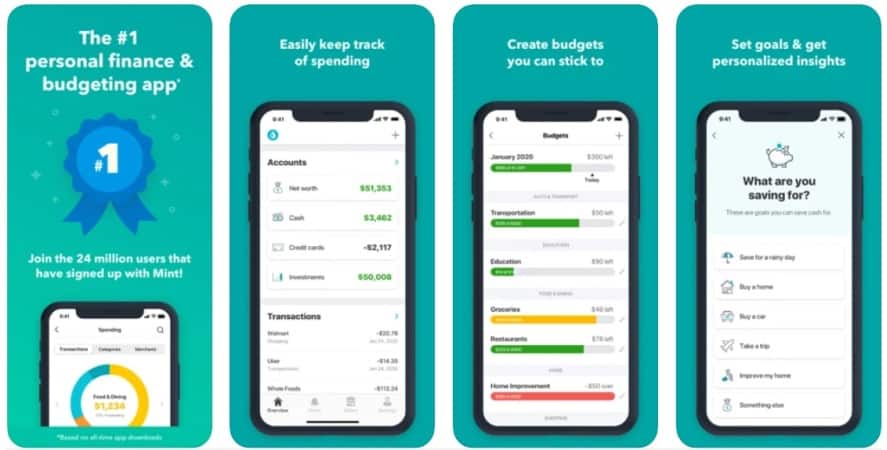
Mint is one of the most well-known personal finance apps, offering a variety of features to help users track and manage their financial life. This free app automatically syncs with your bank accounts, credit cards, and loans, giving you a comprehensive view of your financial situation in one place.
Key Features:
- Track expenses and categorize spending automatically.
- Set and monitor budgeting goals.
- Receive bill reminders to avoid late fees.
- Create financial goals, such as saving for a vacation or emergency fund.
2. YNAB (You Need A Budget)
YNAB is a budgeting app that helps you manage your finances by following a zero-based budgeting approach. While it offers a 34-day free trial, many users find it worth paying for after the trial ends. However, for users looking for free alternatives, the app still offers valuable budgeting advice and community support through various free resources.
Key Features:
- Allocate every dollar to a specific category.
- Syncs with your bank accounts to track your spending.
- Helps build an emergency fund and pay off debt faster.
- Provides educational resources through blogs and webinars.
3. PocketGuard: Simplicity and Security
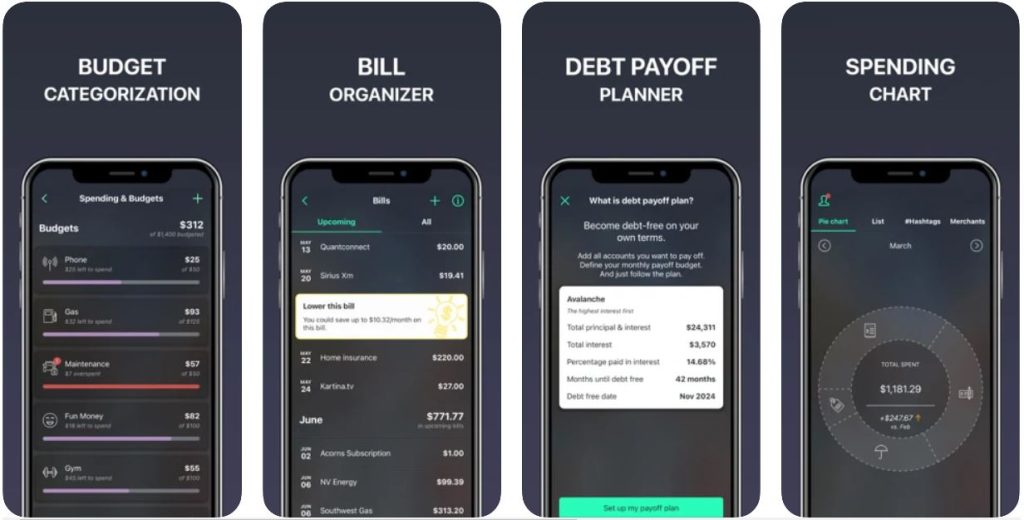
PocketGuard is a user-friendly app designed to help you monitor your spending. Its main feature is the “In My Pocket” function, which shows you how much disposable income you have after accounting for bills, goals, and savings.
Key Features:
- Track income and expenses in real time.
- Automatically categorize transactions.
- Set savings goals and see your progress.
- Easy-to-understand dashboard with spending limits.
4. GoodBudget: Envelope Budgeting in the Digital Age
GoodBudget is a virtual envelope budgeting system that helps you plan and manage your spending by allocating amounts to specific envelopes for categories like groceries, entertainment, and savings. The app offers both a free version and a premium version, with the free version providing plenty of useful features.
Key Features:
- Envelope-style budgeting system for visual tracking.
- Sync across multiple devices to share budgets with family members.
- Track debt and plan for future expenses.
- No need to link to your bank accounts for more privacy.
5. Personal Capital: Investment Tracking and Budgeting
Personal Capital is an all-in-one financial tool that combines budgeting and investment tracking. Unlike many other apps that focus solely on day-to-day finances, Personal Capital helps users manage their long-term wealth by tracking investments and net worth.
Key Features:
- Track retirement accounts, stocks, and other investments.
- Monitor spending with an automatic categorization system.
- Net worth tracker to see how your assets and liabilities evolve.
- Retirement planning tools and calculators.
6. Spendee: Visualize Your Finances
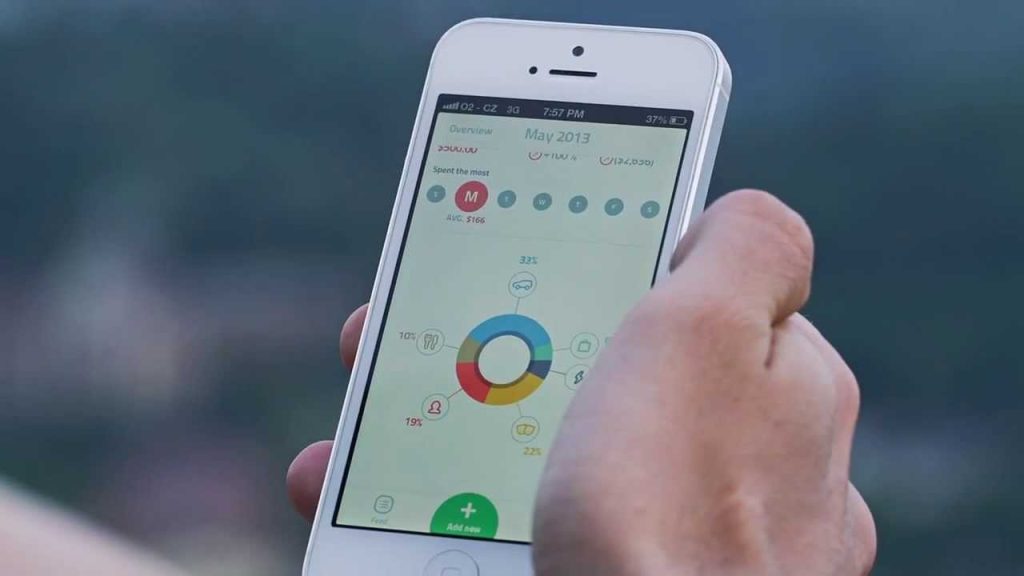
Spendee allows you to track and categorize your expenses easily with visually appealing graphs and charts. You can sync the app with your bank account or manually input your expenses. Spendee’s design and features make it a great choice for users who prefer visual overviews of their spending.
Key Features:
- Sync with bank accounts or enter expenses manually.
- Visual reports to track trends and spending habits.
- Create and manage shared wallets for family or group expenses.
- Budgeting and expense tracking for different currencies (ideal for travelers).
7. EveryDollar: A Simple Budgeting Tool
Created by financial expert Dave Ramsey, EveryDollar is a free budgeting app that helps users create a monthly budget from scratch. It uses a zero-based budgeting approach, helping you allocate your income down to the last dollar.
Key Features:
- Create customized monthly budgets.
- Track expenses by categories like housing, transportation, and food.
- Set and track savings goals.
- Simple, user-friendly design.
8. Wally: Intuitive Expense Tracking
Wally is a powerful tool for tracking your expenses, allowing you to set budgets and monitor your spending patterns. The app’s free version provides useful features for users who need to track expenses without linking to bank accounts or credit cards.
Key Features:
- Track income and expenses manually or with receipts.
- Set goals and monitor your progress.
- Save and analyze expense trends over time.
- Privacy-focused with no mandatory bank syncing.
9. Zeta: Ideal for Couples
Zeta is perfect for couples or shared households who want to manage their finances together. It allows partners to share expenses, track joint savings goals, and communicate about their financial priorities.
Key Features:
- Track shared expenses and budgets.
- Set individual and joint financial goals.
- Bill-splitting tool for easy expense management.
- View transactions and balances in one place.
10. Simple (Now Part of SoFi): A Digital Bank with Finance Tools
Simple is a mobile-first bank app that offers a combination of banking and personal finance management tools. With features like goals, expense tracking, and automatic savings, Simple makes budgeting and saving effortless.
Key Features:
- Set goals like saving for vacations or emergencies.
- Track expenses and categorize purchases automatically.
- Automatic savings with “Safe-to-Spend” balance.
- Fee-free ATM access and no maintenance fees.
Conclusion
There’s no shortage of free apps designed to make personal finance management easier. Whether you’re trying to stick to a budget, pay off debt, save for retirement, or just keep track of your daily spending, these apps can help. By choosing the right app for your financial needs and preferences, you can take control of your financial future without spending a penny. Most of these apps are free to use with optional paid upgrades, so you can always start with the basic version and upgrade if necessary as your financial goals evolve.